Software Developer • Madison, WI
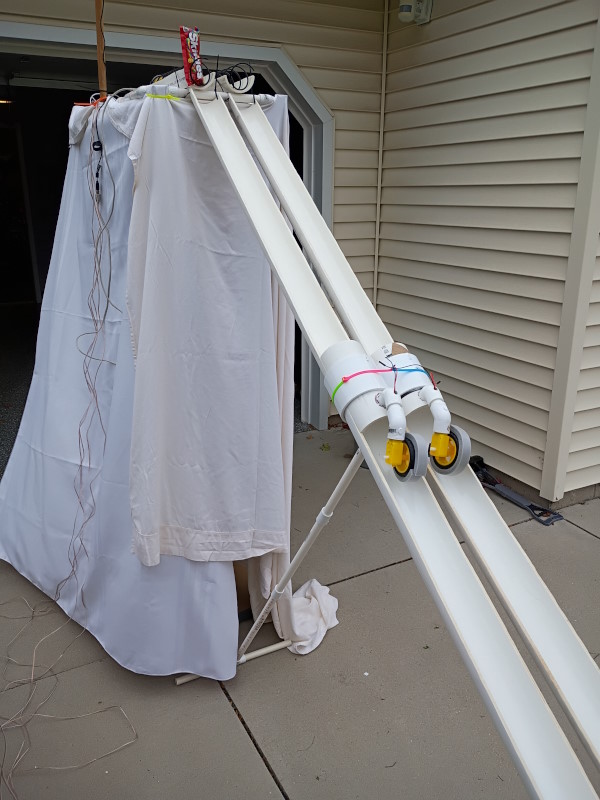
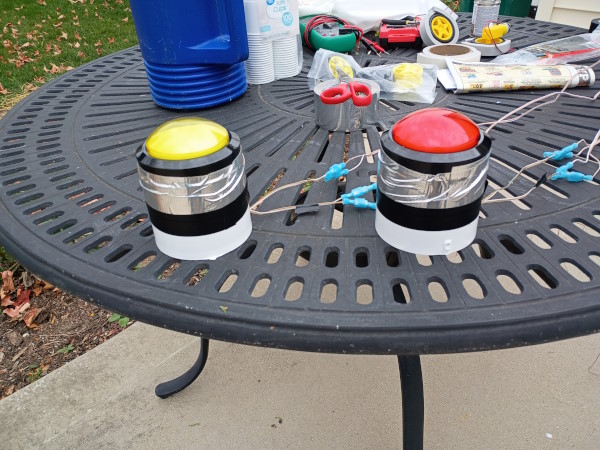
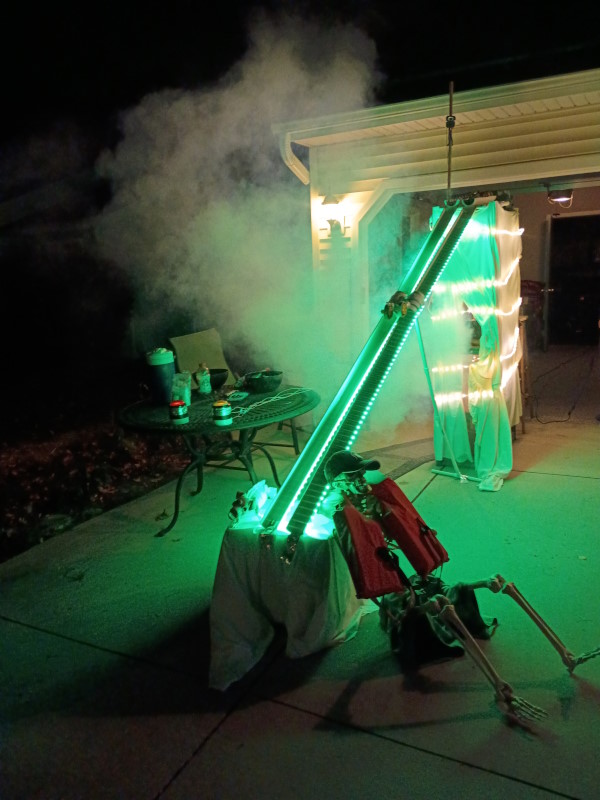
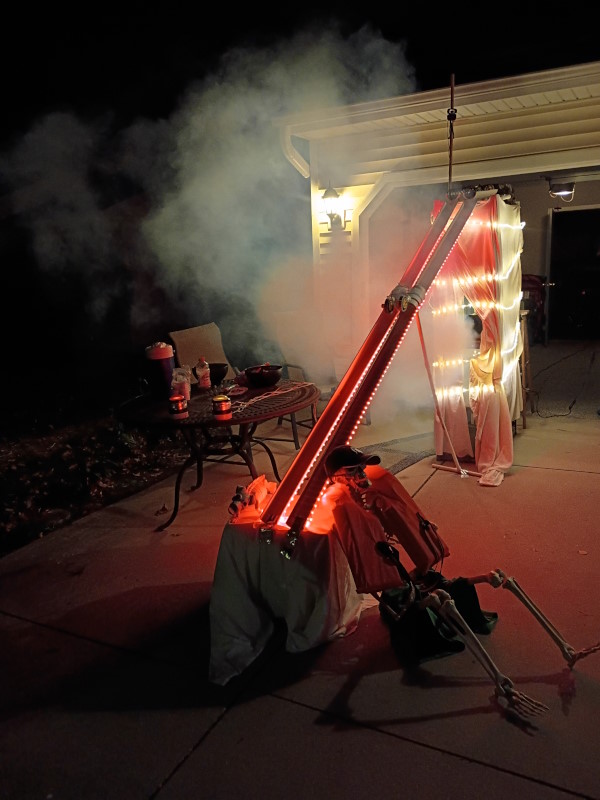
For Halloween, Dave Johnson and I decided to built an electromechanical candy slide that distributes Skittles and M&Ms when trick-or-treaters hit a big game show button. We ended up with a fog machine, lots of lights, and a lot of smiles.
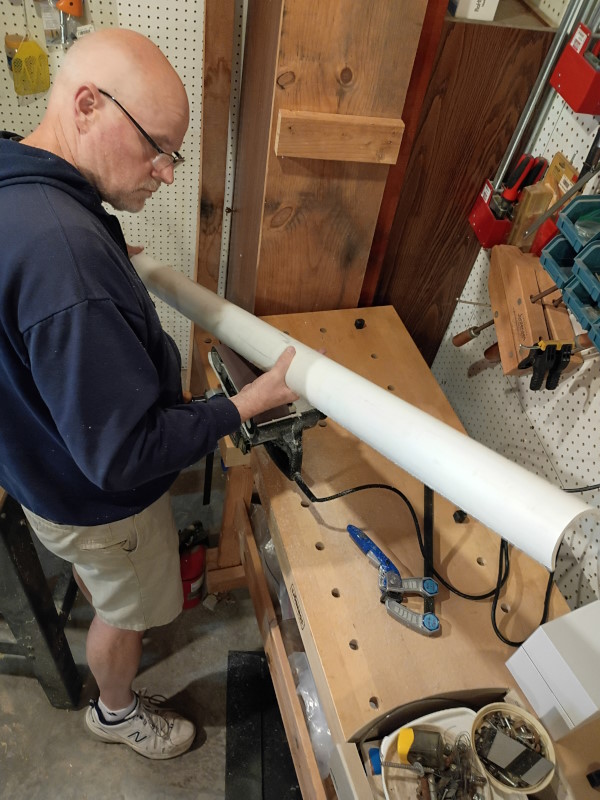
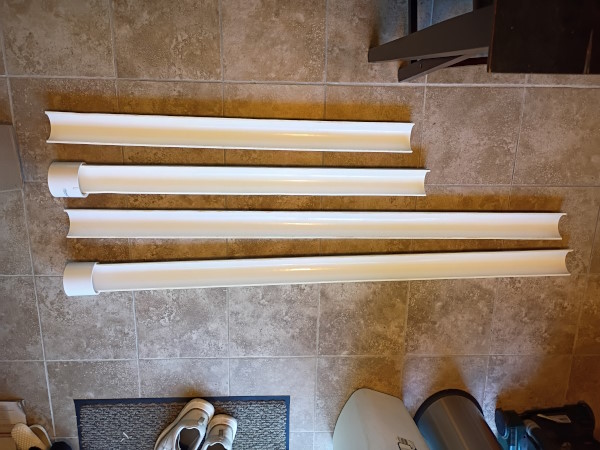
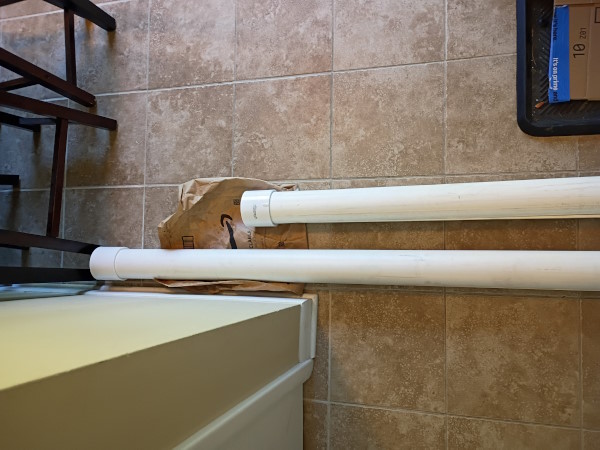
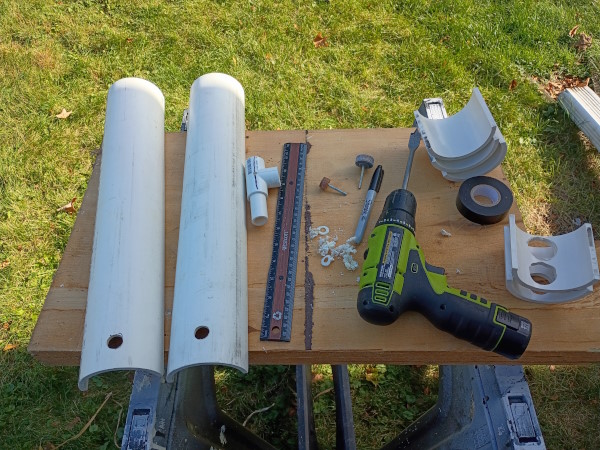
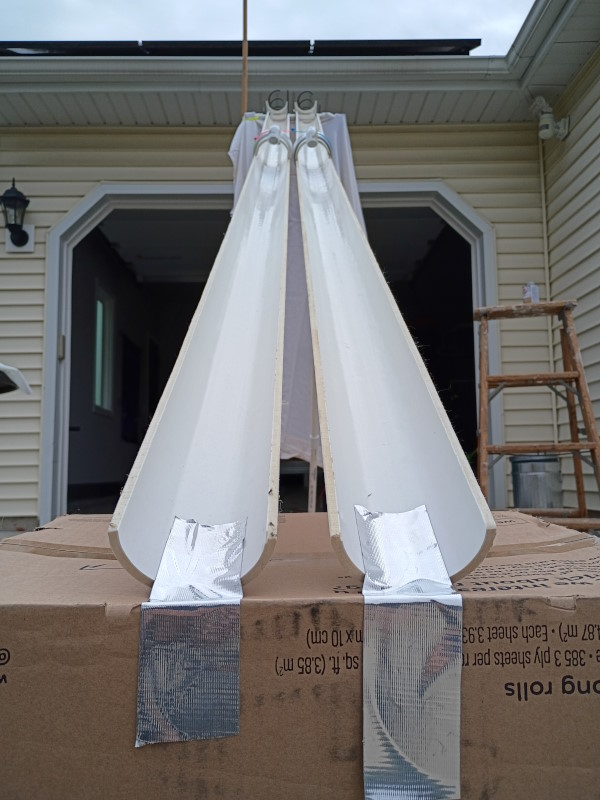
We started out with an eight-foot length of 3" PVC pipe to act as the slide. Our friend Mike Bowden was kind of enough to cut it lengthwise into two pieces and allow us the use of his woodworking shop to smooth the edges. His lathe burnished the inside of each piece to a flawless smoothness and carnuba-waxed shine.
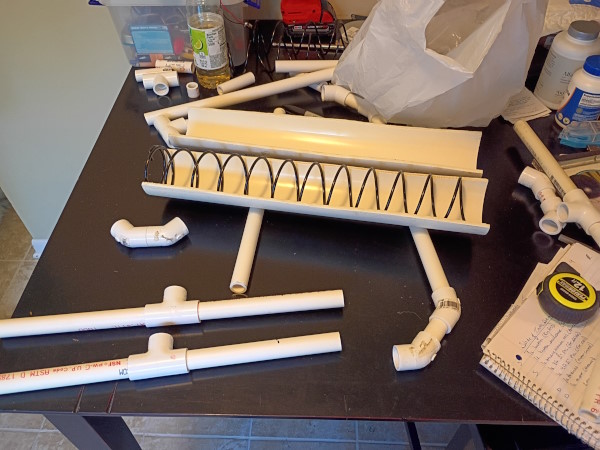
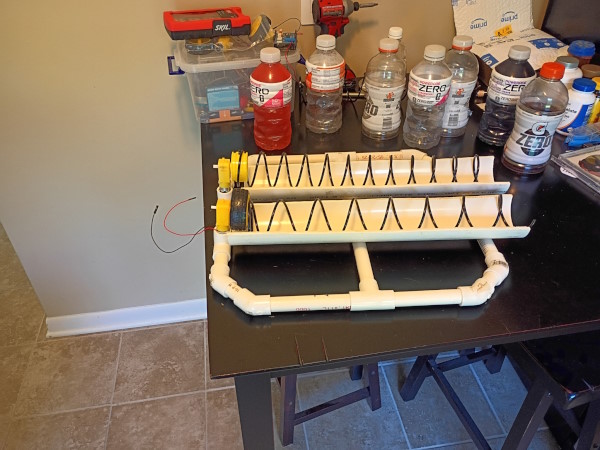
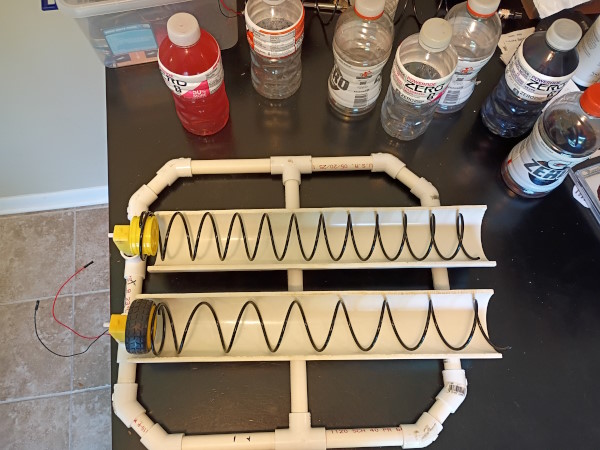
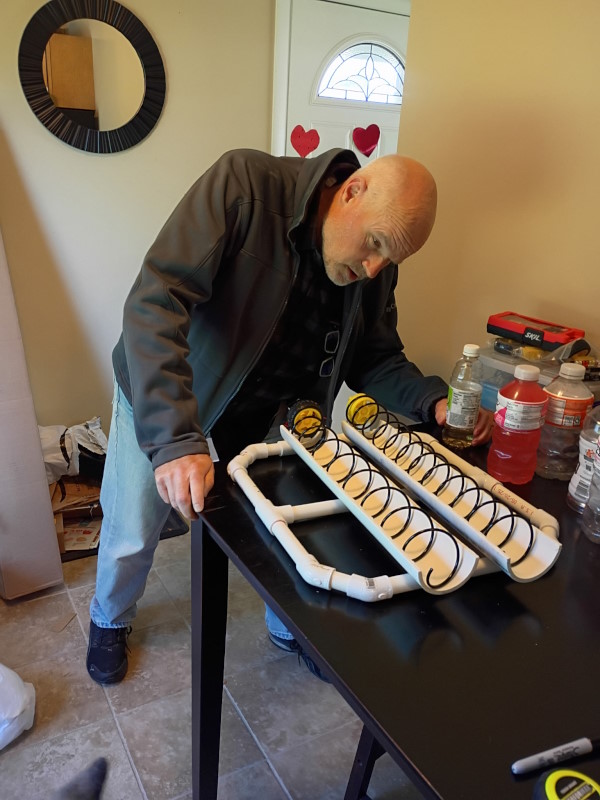
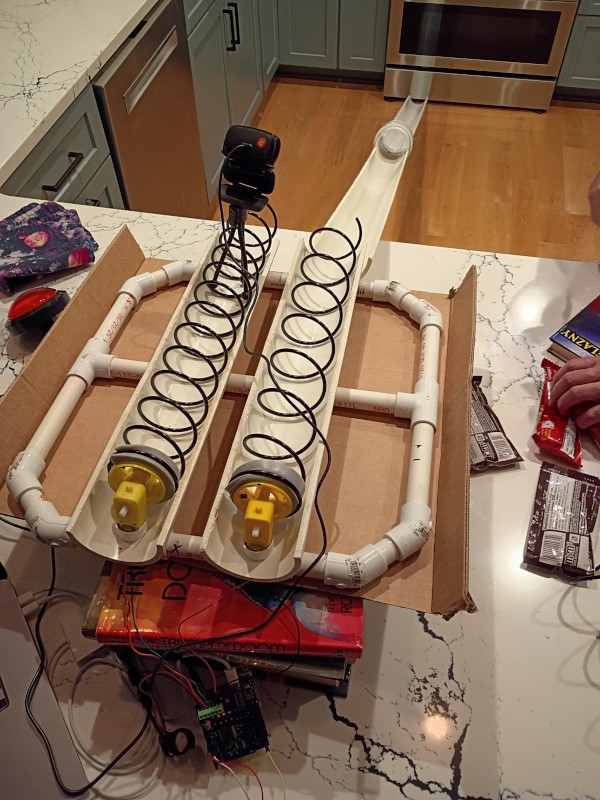
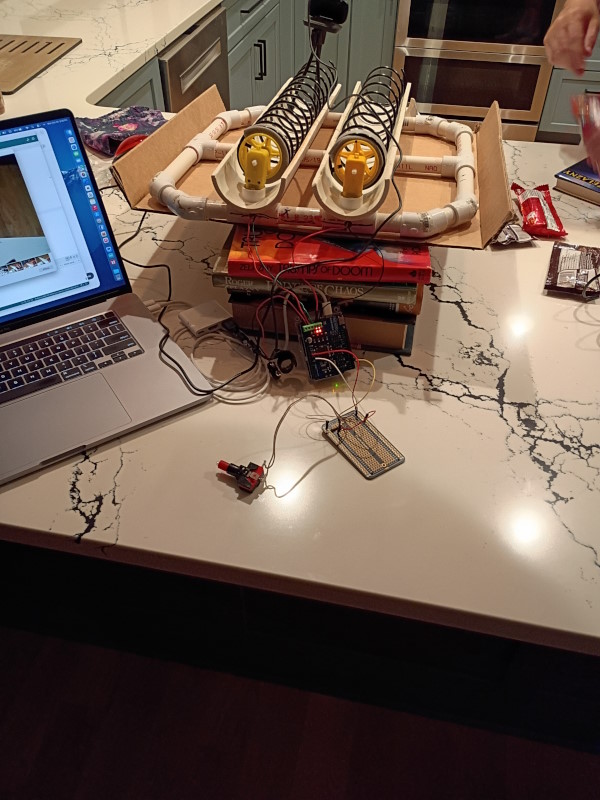
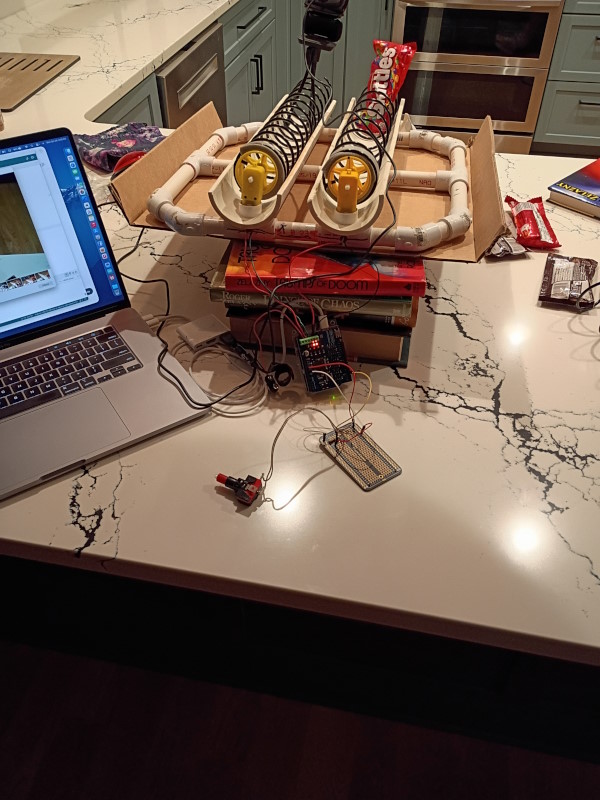
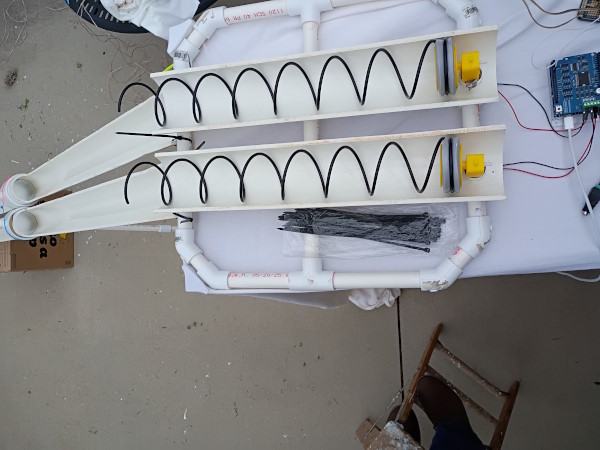
While the glue was drying on the slide, we had to figure out how to dispense the candy. We decided to use vending machine coils turned by DC motors activated by the game show buttons. But the motors and coils still needed a fixture in which to turn, so we went back to PVC and built a frame to hold both of them.
With a place to put the motors and coils, it was time to rig some wires and write some Android code. When a button was pushed, the corresponding motor was meant to turn the coil one revolution in order to release candy down the slide, and gravity would do the rest.
On Halloween day, we temporarily assembled all the pieces and tested it out with actual candy. For such a shallow slope from the kitchen counter to the floor, it actually worked pretty well.
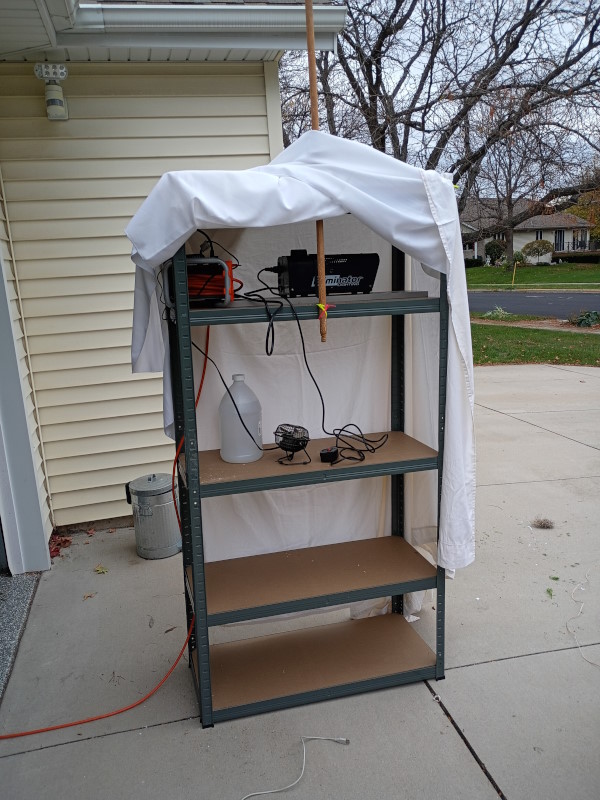
Now it was time to put up a 6-foot tall shelving unit to serve as the "tower" for the slide. The shelves worked great as a place to hold the motor tray, fog machine, and power bar, and the unit's frame served well as an anchor point for zip ties holding everything in place. A white sheet finished it off to hide all the mess and control the fog output and placement.
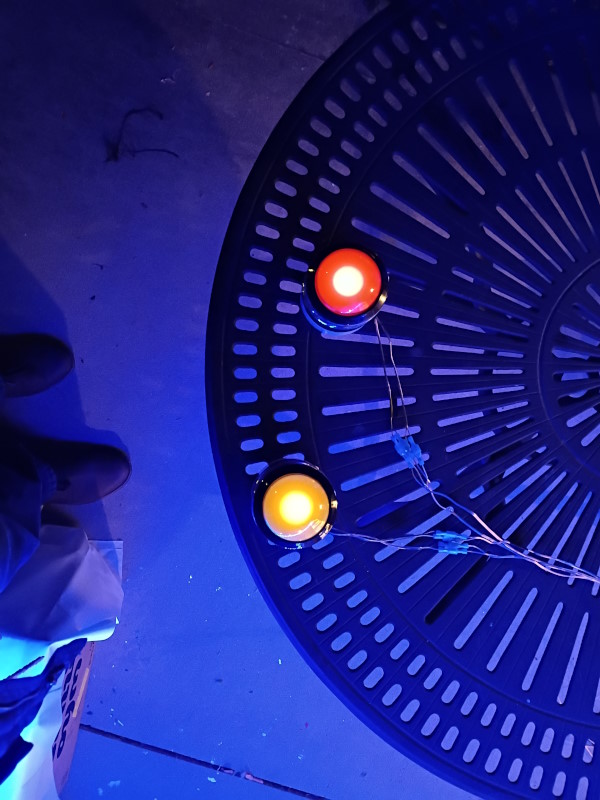
Finally we added colored strip and rope lights and attached the light-up buttons to the Arduino with speaker wire. A webcam at the top of the slide showed the vending mechanism in real-time, and we finished off the look with our favorite skeleton friend for increased spookiness.
The trick-or-treaters loved it! We told kids it was a game where they could race their friends for candy and gave them a countdown. Whomever hit their button first and got their candy to the bottom of the slide soonest would win! And no one knew which button corresponded to which slide, so everybody went home with candy. We had some groups return later just to play again, and plenty of kids who kept hitting the button just to see the candy go down the slide.
It was a great low-budget project and we're planning to build a Version 2 for next Halloween with improved candy propulsion, delivery efficiency, and perhaps sound effects. We learned quite a few lessons and solved unforseen problems with on-the-spot innovation. And we got to deliver candy with a big, chaotic ruckus that the neighborhood will remember next year.
Each Halloween Dave Johnson and I build a new electromechanical project. The Slide of Tooth Decay was a huge hit with kids of all ages and their parents. Everyone wanted to push the big 4-inch game show buttons and see Skittles, M&Ms, and Twix race down the slide.
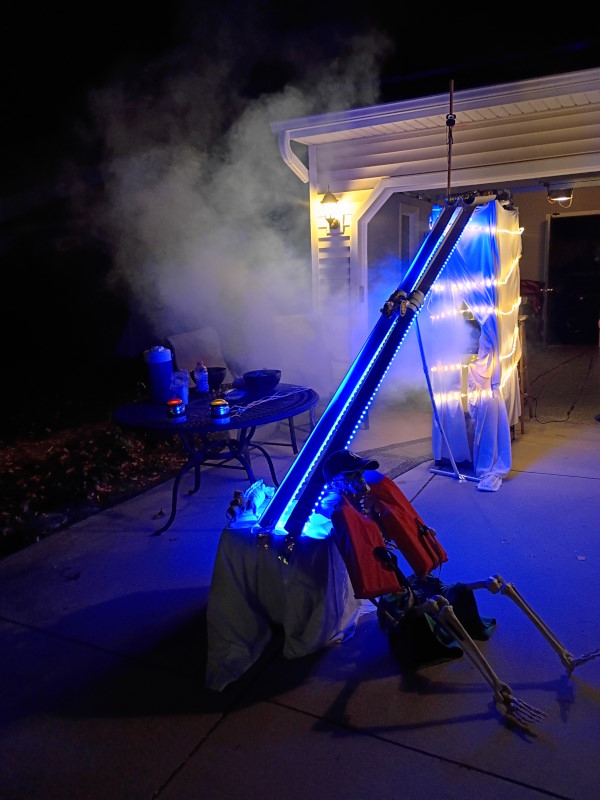
We built The Slide out of PVC, a couple of vending machine coils, an Arduino, and some other things scavenged from other projects. For more information, including many more pictures and videos, see the dedicated Slide page.
Madison sailors can now get on-lake wind information via Alexa! The Mendota Buoy Alexa skill queries the Lake Mendota weather buoy to get the most up-to-date wind conditions and air temperature. If the buoy has not sent data in the last hour, real-time AOSS tower information is used instead.
The Mendota Buoy Alexa skill helps sailors, swimmers, windsurfers, and paddlers in Madison, WI find out whether the lake conditions are ideal for their outing.
This project uses ASK SDK v2 on an externally-hosted server.
The Serverless Find Resource plugin, available in the npm public repo, magically replaces AWS resource names in Serverless templates with their equivalent IDs or ARNs.
Serverless has some restrictions around how some resources, like Cognito User Pools, are referenced. The Serverless Find Resource plugin works around these and other headaches to make your Serverless AWS templates much more flexible. When the simple syntax is used, Serverless Find Resource looks up the referenced resource name in your AWS account and updates your Serverless template. Even better for smaller projects, if there's only one resource of the given type in your account, Serverless Find Resource just uses that one.
Being able to target existing AWS resources by name means you can regenerate them as often as you need to - resulting in new AWS ARNs or IDs - without having to manually update your Serverless templates. When following the AWS best practice of using one account per environment, this becomes an important benefit because your ARNs and IDs are guaranteed to change. Even if you just have some manually-created resources, with Serverless Find Resource you can ignore their changing ARNs/IDs and keep your Serverless templates free of hardcoded muckery.
HydroPAD is a collaborative project with Dave Johnson. We wanted to create a unique analog user input mechanism that could inform digital interfaces. The result is a prototype contraption that uses flow meters and check valves with a Raspberry Pi to serve up water flow direction and flow rate to any interface that can consume websockets.
The first proof of concept implementation is a game where the player presses one of the two hot water bottles to move the on-screen player to the right, and the other bottle to move to the left. We came up with a number of unique games that could take advantage of the water-based input mechanism. The system is structured so that many HydroPAD devices (the PVC assembly) could be electronically linked together to form multiplayer cooperative or competitive games.
Fireball Finder! is an Interactive Voice Assistant (IVA) for Amazon Alexa. Fireball Finder uses the Jet Propulsion Laboratory's Solar System Dynamics API to find fireballs that will be close to Earth on a given date. Alexa users can say things like "Ask Fireball Finder to scan" to regressively search for fireballs up to three weeks in the past. When a fireball is found, Fireball Finder! tells users how far away it is, how fast it's moving, and how much energy will be expelled when it hits the earth.
For Alexa users who are just interested in massive fireballs, Fireball Finder! offers custom searches for fireballs with more or less than a given impact force.
Fireball Finder! is an Amazon Lambda Javascript function.
Inbound Asteroid 2 is an Interactive Voice Assistant (IVA) for Amazon Alexa. Inbound Asteroid 2 uses the NASA Near Earth Object API to locate asteroids, meteors, comets, and other natural objects close to the Earth. Alexa users can say a plethora of flexible phrases to activate the skill and ask about near-Earth objects for the current day, a day in the past or future, or less-specific days like "tomorrow" and "last Tuesday".
Inbound Asteroid 2 is the reincarnation of the original Inbound Asteroid skill. This second version is written as an Amazon Lambda Javascript function instead of running in a standalone web container like the original skill used. Inbound Asteroid 2 enjoys 5-star reviews.
A referred client had been working on an idea for the past few years. "It's like FarmersOnly.com, but for seeds," he told me. The client wanted to define a business model that could bring non-GMO farmers and buyers together so everyone could reach their highest profit margins.
After many iterations of business model and software development, the client's business is now an online marketplace that connects farmers and contract entities. The web application shepherds both parties through an easy-to-use negotiation process and facilitates contract delivery/agreement. The application uses its integration with an email vendor to keep users up-to-date on all aspects of their buying and selling activities, including daily listing digests and reminders.
My work with the Neurosky Mindwave Bluetooth headsets hasn't gone unnoticed. The owner of a wearables data aggregation platform (ActiveOS) contacted me after seeing my mindwave-bluetooth library. Their client, a professor of neuroscience, wanted 8 students per class to be connected to Neurosky Mindwave Mobile headsets. Over the course of the semester the students' brainwave data would be used to teach lessons about neuroscience concepts. The project was completed quickly and the professor is now teaching students with their own brainwaves.
The Underwriter Guidelines web service allows applications to perform geography-based searches for insurance underwriting rules. This service makes it easy to inform underwriters of any underwriting rules that apply to an applicant's address based on state, county, zip code, FIPS code, or distance from the coast. Underwriting applications use this flexible service to abstract the business logic of geography-based underwriting policies away from the business of writing an insurance policy.
The Underwriter Tearsheet web application solves the problem of locating and correlating information about an insurance applicant's physical address. When an underwriter enters an address, the Underwriter Tearsheet auto-completes it, double-validates it as a real address, and displays a printable screen of aggregated information from multiple sources. Underwriter Tearsheet integrates with:
In addition, Underwriter Tearsheet logs all user activity and can provide an audit trail for all searches submitted. Managers can view the results of any given search just by going to a result-specific URL.
The KB Geo Distance to Coast web service brings fast, accurate results for insurance risk management. Web service consumers can provide a latitude/longitude pair or a street address to get the number of miles to the nearest coastline. The service incorporates NOAA geographic data with proprietary algorithmic preprocessing, making it possible to get results almost instantly.
The RESTful service introduces security to the 3rd-party risk web services world, offering SSL and authentication via predetermined auth tokens.
Inbound Asteroid is a platform-agnostic Interactive Voice Assistant (IVA) for both Amazon Alexa and Google Home/Google Assistant. The platform is written in such a way that it's easy to add new functionality or additional platforms, such as Microsoft Cortana and Apple Siri.
Inbound Asteroid uses the NASA Near Earth Object API to locate asteroids, meteors, comets, and other natural objects close to the Earth. Inbound Asteroid users can say a plethora of flexible phrases to activate the skill and ask about near-Earth objects for the current day, a day in the past or future, or less-specific days like "tomorrow" and "last Tuesday".
The Inbound Asteroid Alexa skill and Google Home/Google Assistant action have since been taken down due to server costs, but generated 5-star reviews while active. During the skill's lifetime it encouraged a number of other developers to write similar skills using the same NASA API.
My boss's cyclic obsession with Kickstarter at one point yielded a Mindwave Bluetooth EEG headset. He joked about his tendency to stop paying attention in a conversation, and when I said "I bet we could find some technology to track that", he got the funniest look on his face.
Thus was born the Attention Deficit alarm. I consumed the Mindwave Bluetooth API to alter Tony with a *ding* sound file when his attention dropped below a preset threshold. When we demonstrated it at an intra-company presentation, he started *ding*ing like crazy...checking his email instead of paying attention :D
Shareholder Attention Display was purpose-built for the 2015 Omni Resources Shareholders Meeting. Shareholder Attention Display built on the Mindwave Bluetooth EEG headset output, using a giant TV to display live attention/meditation graphs from four headsets on volunteers in the crowd. The speakers began challenging themselves to keep everyone's attention levels high; any dip in the graphs was greeted with laughter and jokes from the speakers. Of particular interest was the graphs during the announcement of the annual stock price evaluation - almost quadruple the previous year's!
My predeliction for the Mindwave Bluetooth EEG headset now established, I of course suggested an interactive presentation wherein we would hook kids up to the Mindwave headset, show pictures depicting different professions, and print out a graph showing which areas the kids' minds showed the most interest.
A sales guy at our company called me up one day. "[CEO] said I should talk to you," he said. "We're sponsoring a middle school career fair and need something engaging for that age group."
My predeliction for the Mindwave Bluetooth EEG headset now established, I of course suggested an interactive presentation wherein we would hook kids up to the Mindwave headset, show pictures depicting different professions, and print out a graph showing which areas the kids' minds showed the most interest.
It was a huge hit at the career fair. About 1500 kids showed up and nearly 300 got to try out CAM while their friends looked on. The Omni Resources booth was packed throughout the career fair, actually causing a bottleneck. Several kids were reprimanded for lingering at our booth past their allotted time. Some of the teachers and the business representatives from other booths got to try too! Later we got emails and handwritten letters from kids who really enjoyed using CAM, and many felt its measurements were a spot-on reflection of their interests. We even got a mention and photo in the Fox Valley School District newsletter!
CAM was my first go at a JavaFX application, built on plenty of Java Swing experience. CAM displayed the Mindwave headset wearer's attention and meditation levels in real-time while it flashed each profession image for three seconds and tracked the user's attention level during that time. When all career images were exhausted, it automatically generated a bar graph and sent it to the default local printer. We had a lot of fun testing CAM in the office, and found that the images themselves could be normalized to make the results more accurate.
Fans of Fury was a blast! As a long-time sponsor of That Conference, Omni Resources wanted to have an amazing booth for That Conference 2015. After much collaboration with my boss, Patrick Tsai, and Brian McCrary, Fans of Fury began to take form. The game: Use mind control to push balls into your opponent's goal.
Tony Sebion built an 8ft by 3ft by 3ft wooden box while Dave Johnson and I worked on the electronics. We wanted to have automatic scoring, a scoreboard, integration with conference attendee badges (for player IDs), four Mindwave Bluetooth EEG headsets - two in game and two "on deck", and a couple of safety features.
The final system architecture revolved around a Tomcat server running a Spring Boot-powered web app that acted as a command center. When a Raspberry Pi booted, it opened a websocket connection to the server, registered itself and its connected devices (scoring sensors and 1000kv quadcopter motors acting as fans), and waited for instructions via the socket. The server leveraged the bi-directional nature of websockets to both push independent fan speed commands to the Raspberry Pi for each fan and receive score events, which it then pushed to the scoreboard. The scoreboard web page opened its own websocket on load and listened for changes in player scores, player information, and movement of EEG headsets between "on deck" and in-game. Another developer built an iPhone app to allow player registration and control which headset powered which fan.
The project was able to leverage the mindwave-bluetooth library I wrote to parse the Mindwave headset Bluetooth streams and raise events. The source code for the Fans of Fury project is now open-source, so you can download it all at GitHub.
See more pictures of Fans of Fury at That Conference on Facebook!
Here's video from the Omni Resources booth at That Conference:
Icebreaker is a prototype project intended to explore the possibility of using Bluetooth 4.0 beacons to introduce strangers to each other. The idea revolves around broadcasting information to nearby devices that could then display user pictures and biographies to their owners.
After a successful proof-of-concept phase with both iOS and Android apps, the sponsoring organization unfortunately focused on other things and left Icebreaker by the wayside.
The project was later picked up as Well Met.
Many websites use SMS as part of a 2FA (2-factor authentication) scheme. As a developer, implementing an SMS notification feature for the first time can be challenging even when using enterprise platforms like Amazon Web Services. I was unable to find a definitive path to this goal in existing documentation, so this article skips boilerplate and takes a succinct approach to leveraging SMS notifications through AWS SNS.
Shadow Things in the Amazon IoT platform abstract away the boilerplate behind communicating securely and reliably with the AWS IoT platform. Creating Shadow Things in the management console is easy - and that can lead to a haphazard herd of AWS IoT Things. Writing code to programmatically corral your devices the first time can be challenging even on the AWS IoT platform. I was unable to find a definitive path to this goal in existing documentation, so this article skips boilerplate and takes a succinct approach to discovering existing AWS IoT Things and finding out more about them.
Shadow Things in the Amazon IoT platform abstract away the boilerplate behind communicating securely and reliably with the AWS IoT platform. Once Things have been created, you'll want to integrate that communication with your existing infrastructure. AWS IoT provides plenty of options for listening to Thing state and requesting changes, but getting spun up the first time can be challenging. I was unable to find a definitive path to discovering and changing Thing state via the AWS IoT REST API in existing documentation, so this article skips detailed boilerplate and takes a succinct approach to retrieving a known AWS IoT Shadow Thing and updating it's state.
Lightside was a series of Internet of Things projects designed to leverage the power of the Amazon IoT platform.
Darth was a 3ft Darth Vader action figure that we rigged up with a motion sensor. When someone approached Darth, he would say one of 48 pre-recorded phrases. We enhanced this concept by connecting him to the AWS IoT platform so his cheeky phrases could be triggered by remote events.
With the success of our own convenience layer on top of the Amazon IoT C SDK, we rigged up an electric sit/stand desk to raise and lower based on AWS IoT messages. Further plans were made to create specific user profiles and raise and lower the desks based on the specific user and time of day.
Since we'd already gotten Darth Vader and an electric desk integrated with the AWS IoT platform, we placed motion sensors in each office in our building. Every motion sensor reported back up to the AWS IoT platform. I built a web application that read motion sensor state via the AWS IoT REST API to show which rooms were occupied. This data was shown graphically as a floor plan of the building with pulsating red dots where motion was sensed. We knew it was a success when we could visually track a person's movement through the building (with their consent, of course).
Using LetsEncrypt’s free CertBot with Amazon Web Services’ EC2 server instances (AWS Linux AMI) can be frustrating. CertBot (letsencrypt.org) is a great tool for spinning up SSL certificates but is not currently supported on AWS Linux. This post reveals the gotchas and shows how you can install a CertBot certificate on AWS Linux. It’s assumed that you already have an EC2 instance up and running and a domain name pointed at the instance. The domain name is required for the SSL certificate as LetsEncrypt blacklists AWS.
In the EC2 console open Security Groups, select your instance, choose Actions > Edit inbound rules, and verify HTTP/80 and HTTPS/443 are both open. If you have any outbound restrictions, also open ports 80 and 443 outbound and allow the current IP address for https://letsencrypt.org.
wget https://dl.eff.org/certbot-auto
chmod a+x certbot-auto
./certbot-auto certonly --standalone -d remotic.us -d www.remotic.us --debug
If you don’t add the –debug parameter, CertBot will only display a message. It will not generate certificates.
The CertBot script puts generated certificates in /home/ec2-user/letsencrypt/live/<your-domain>.
sudo su
openssl x509 -outform der -in /home/ec2-user/letsencrypt/live/&t;your-domain>/cert.pem -out cert.der
keytool -import -alias <your alias> -keystore cacerts -file cert.der
The CertBot script makes /home/ec2-user/letsencrypt writable only by root, so you need to become root before converting the generated cert to DER format. Once in DER format, you can use the JDK's keytool utility to import the cert into your keystore.
If you're doing more than a simple test, you'll probably want to add a scheduled auto-renewal because Let's Encrypt certs are only valid for 3 months.
Amazon Alexa provides a voice-to-action framework for development of custom skills. Custom Alexa skills can do anything – order a taxi, consume an API, or just provide a conversation. The functionality itself is only a small part of building an Alexa skill, though. This post lays out some of the other factors to be prepared for when you think about building a custom Alexa skill - specifically, whether your skill fits well within the Alexa interaction model.
Before writing any code, it’s important to understand how your new Alexa skill will perform within the confines of the Alexa world. Some kinds of functionality and interaction don’t belong well and as a result seem kludgy or provide a frustrating user experience.
Although Alexa interactions can be conversational, increasing the number of things the user is required to provide up-front can dampen the overall user experience. For example, a skill for purchasing concert tickets might be rarely used because it asks for the band name, date, location, price option, and seating all in one go. Imagine a user saying “Alexa, ask Concert Guru to find tickets for Disturbed in Madison WI on January 25th under forty-five dollars in the front row”. Since Alexa’s voice-to-text can be prone to misinterpretation, Concert Guru is providing five opportunities for their skill to fail completely in the eyes of the user.
If your skill can function with just some of the parameters you can ask the user for each one independently, which helps maintain a good user experience. There’s still a point where providing those inputs is tedious, though, so be aware of when you’re asking too much from the user before providing value back.
After invoking your skill endpoint, Alexa will wait up to 5 seconds for a response. If no response is received, your users hear an error message like “The Inbound Asteroid skill is not responding”. To prevent this, make sure any APIs your Alexa skill consumes are performant and will return their responses to your skill in time for your skill to respond to Alexa. If that’s not possible, your skill is probably not ready for implementation. The NASA Near Earth Object API that Inbound Asteroid consumes is fast enough to meet this criterion while still providing time for extra processing – otherwise we couldn’t have successfully implemented it.
It is possible to link a user’s Amazon account to an account in your organization’s system, but it requires a fair amount of extra work and additional user interactions. You can create a card that displays a link on the Amazon Alexa phone app which the user must click to create the link. Although this is a security necessity, it also means future interactions with that Alexa device will likely assume only one person uses your skill. Can you counteract this tediousness by providing some functionality without user account information? For example, your skill might allow a user to say their order number to hear its status, but require user account information before being able to change the shipping address. This helps the user get value from your skill even if they haven’t yet linked their account with your organization.
Amazon Alexa provides a voice-to-action framework for development of custom skills. Custom Alexa skills can do anything – order a taxi, consume an API, or just provide a conversation. The functionality itself is only a small part of building an Alexa skill, though. This post lays out some of the other factors to be prepared for when you think about building a custom Alexa skill - specifically, where to host your skill.
Once you’ve determined that your skill is feasible, you have another decision to make. Custom Alexa skills can be housed in two places: an Amazon Lambda function or an external server. Your decision should be based on your specific situation, but here are some clear factors:
Given how the Interactive Voice Assistant (IVA) market is shared by both Amazon Alexa/Echo/Tap/Dot and Google Assistant/Google Home, it makes sense to spent skill investment on a single codebase that services both IVA platforms as well as future IVA platforms without additional proportional cost and effort. Deploying your skill to an external server makes this possible. When building the Inbound Asteroid skill my goal was to keep both long-term costs and development effort low, so I chose to use an external EC2 server.
Lambda Pricing: https://aws.amazon.com/lambda/pricing
EC2 Pricing: https://aws.amazon.com/ec2/pricing/on-demand